

- Lenovo IdeaPad 510-15ISK - BIOS recovery doesn't work July 9, 2025
- (new to forums) searching for aid/direction to unlock overclock on an HP motherboard. July 9, 2025
- Acer Aspire 5920G - Requesting Modded BIOS (9600M GT) from .WPH for CH341A Flasher July 8, 2025
- [REQUEST] Lenovo Yoga 7 Pro 82Y7 unlock July 7, 2025
- i7 2860QM how to raise power limit? July 7, 2025
- overclocking msi b150 gaming m3 July 6, 2025
- Asus K72jr repair July 6, 2025
- Hp 11-ak0040nr add option to boot from internal m.2 slot July 5, 2025
BIOS-Mods.com Updates
 September 27th, 2012 |
  Author:
 Dear Community,
It has been quite a while since I have updated our members and visitors on the site’s status and discussed where we are looking to continue improving upon BIOS-Mods’ reputation as the number one BIOS/hardware modification community on the internet.
The amount of data we have collected on the BIOS modification process is tremendous. Over the past several years, we have successfully unlocked hundreds of motherboards and have created a readily available repository of modified BIOS images. As BIOS-Mods continues to gain user requests and interest in unlocking new motherboards with the latest technologies, we have continued to provide modified images for many mainstream consumer platforms thanks to the dedication, time, and effort of many talented community members.… >>>Click Here To Continue Reading
Can or Can’t Spam: Technology & The Law
By: Derek J. Gordon.
Introduction
Computer networks are inundated with unwanted email messages (emails) on a daily basis. These unwarranted messages are called SPAM, or unsolicited bulk, email. A majority of these messages are for illegal activities. However, some emails are legitimate messages from businesses to a consumer. While one email is minuscule, the number sent to an individual email address each day number in the thousands. In fact, a personal mail server typically processes three thousand emails per day that have no legitimate purpose or mail box for delivery. Corporate mail servers can process over a million SPAM emails per day. … >>>Click Here To Continue Reading
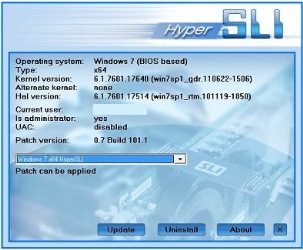
Success: NVIDIA GTX 580M SLI on Alienware M17x-R2 Laptop
How to Get Involved with the Largest BIOS Modding Community on the Internet
BIOS-Mods has grown over the last ten years to be the largest BIOS Update and Modification Resource on the internet. Started in 2001, it has grown to be the largest site for taking requests and completing motherboard BIOS modifications through our forums, live chat interface, and digital resources. After changing administration in 2009, the growth in community support in our forums has been overwhelmingly positive. During this month (December 2011), our traffic levels exceeded the bandwidth available on our current servers, and we purchased dedicated servers so that our community could continue to grow without limitation.… >>>Click Here To Continue Reading
BIOS-Mods Server Back Online
Dear Community,
For nearly 10 hours on Thursday, November 18th, 2011, the BIOS-Mods servers went offline unexpectedly. Our hosting provider had turned off our server after seeing a “large number” of connections to the site. The site went offline without notification, and our community was not informed of the downtime mainly because we weren’t informed either.
While we are looking into a possible DDoS attack or similar spamming attack, we appreciate your patience. BIOS-Mods has had a very reputable history of maintaining a 99% plus uptime rating, and we want to keep it this way.… >>>Click Here To Continue Reading
New Technique in BIOS Modding Brings Great Success
As we continue our quest to enhance users BIOSes, a new general technique has emerged that has proven more successful than previously thought. Coined Retail BIOS matching, many of us here at BIOS-Mods have had great success unlocking motherboards that share similar characteristics to other retail boards. This concept is a rather new approach, as people were advised against it because the odds were so little of a successful flash.
So what has changed that is redefining this technique? The first major change is that BIOS developers are now programing in languages such as C over the traditional ASM model.… >>>Click Here To Continue Reading
Great News For All Site Users!
Hey Everyone
We bring good news for you all!
We have spent the last couple of days working out how to optimize the sites CSS and Javascript to improve page load times and overall site performance. I am happy to report that with the help of a fantastic little piece of software called W3Compiler , we have been successful. We have ran a website optimization report using www.websiteoptimization.com before and after using the compressed java and css. Here are the results for different connection speeds with the 1st figure before optimization and the 2nd figure after optimization:-
14.4K – 267.81 seconds 179.94 seconds
28.8K – 143.50 seconds 96.67 seconds
33.6K – 125.75 seconds 84.78 seconds
56K – 83.13 seconds 56.23 seconds
ISDN 128K – 38.78 seconds 26.52 seconds
T1 1.44Mbps – 20.90 seconds 14.54 seconds
As you can see , this is a fair performance increase and is quite significant for our users on slower internet connections.… >>>Click Here To Continue Reading
Microcode Progress – AMI Now Possible , Phoenix Hopefully Coming Soon!
Hey Everyone
Due to the availability of new tools and knowledge we are now able to attempt AMD AGESA upgrades for AMI bioses through the disassembly of the main 1B module. If you want to test , please make a post. Hopefully Phoenix microcodes will be possible soon , still learning with these though.
Happy Modding!