

- [REQUEST] ThinkPad E15 Gen 2 - BIOS Update Stuck 0% Battery - Seeking Bypass Winflash July 17, 2025
- [REQUEST] Asus Zenbook (UM535QE) Bios Mod July 17, 2025
- [REQUEST] Asus G614JV BIOS Unlock July 17, 2025
- [REQUEST] HP Compaq nx6120 WiFi Whitelist removal July 17, 2025
- [REQUEST] Lenovo Yoga S940-14IIL (BQCNxxWW) BIOS Unlock July 15, 2025
- [REQUEST] GA-8I865GME-775-RH (rev. 3.9) & Quad Q6600 July 12, 2025
- Asus P8Z77-M RT-d Unlock July 11, 2025
- [REQUEST] Gigabyte GA-X99P-SLI BIOS with PCIe Bifurcation options. July 11, 2025
WIFI Whitelist Removal Petition
 May 24th, 2014
 Author:
Recently one of our forum members, EvanCarroll, started an online petition to request the removal of WIFI whitelists from Lenovo bios. I highly encourage everyone here to support this effort by taking a minute out of your day to sign it. If an online petition can get 270,000+ signatures supporting the deportation of Justin Bieber, then we should at least be able to get a few thousand to support the removal of WIFI whitelists. Thanks! 😀
Sign The Petition Here!
… >>>Click Here To Continue ReadingUniversal IFR Extractor

In case you didn’t already know, the Extensible Firmware Infrastructure’s Human Interface Infrastructure uses Internal Forms Representation protocol to display things like your setup utility’s menu. By having access to the Internal Forms Representation, we can know everything about a menu which can assist us immensely when modding bios. I’ll also be using this application in a few of the tutorials I write, so get used to using it now 🙂
I was getting tired of all the requests to expand EFI IFR Dumper to include support for UEFI’S IFR protocol, and as a result I decided that now is a better time than any to update my program.… >>>Click Here To Continue Reading
Module Helper

I first started working on Module Helper back in September when Andy’s tool V2.19 was released. As some of you may know, that iteration altered the format of the extracted EFI modules by storing a module’s header, code, and name all in the same file. This created some issues with disassemblers not being able to automatically recognizing the format of the EFI modules and the size of data modules not being updated if changed. Dealing with all these negative aspects was trivial but annoying, which is why Module Helper was developed. It was originally capable of splitting the modules header and data into separate files an it could update the sizes in the headers.… >>>Click Here To Continue Reading
Training the Next Generation of BIOS Modders

BIOS-Mods.com for years has been and continues to be an open, collaborative space to help users around the world make the most of their motherboards, hardware platforms, and computers as a whole. Over the years, we have had many talented developers come and go who have all left tremendous impacts on our ability to modify BIOS images and provide the know-how for people who like “Do it Yourself” projects.
We would like to start an open-knowledge initiative to help recruit and train new moderators at BIOS-Mods.com with the wealth of information there is to be shared.… >>>Click Here To Continue Reading
BIOS Spotlight: (UEFI) Dell XPS 15z L511z
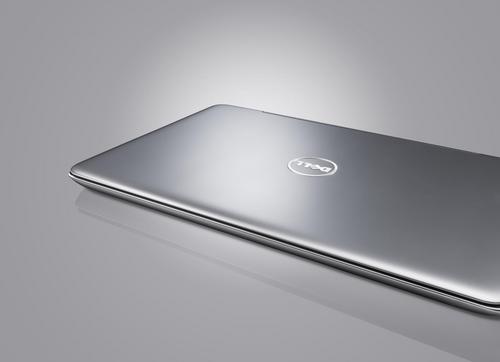
This article documents the exciting work being done by some of the top contributors in our forum. The modifications performed on systems like the Dell 15z reflect the most advanced examples of BIOS modifications done within our community. For more information, please visit the thread.
Phoenix SecureCore Tiano, used by Dell, is a tough nut to crack – we came to what we have today by taking little steps on a road that wasn’t smooth to begin with. Phoenix nor Dell have provided any information regarding SCT 2.0 and to this day the BIOS on these machines has not been upgraded to 2.3.1 which allows for ME v8 (brings IVB CPU support) and SecureBoot capabilities.… >>>Click Here To Continue Reading
Product Review: Eken 7″ Android MID Tablet M009F
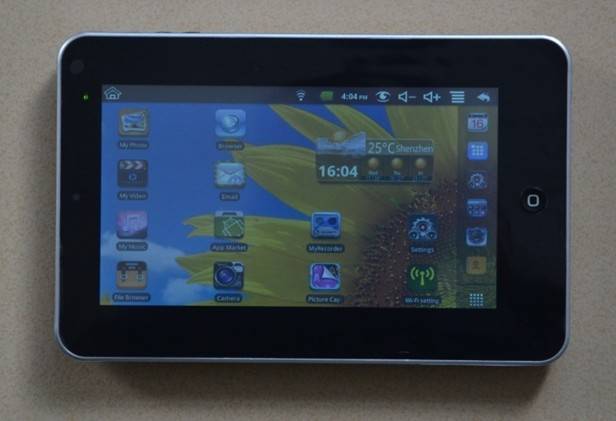
The Eken 7″ Android MID M009F tablet is powered by an InfoTMIC 800MHz CPU, 186 MB RAM, 2 0r 4 GB of storage space (Upgradeable to 16GB via an SD memory card), a 7″ 800×480 resistive screen, and WiFi (802.11 a/b/g/n).
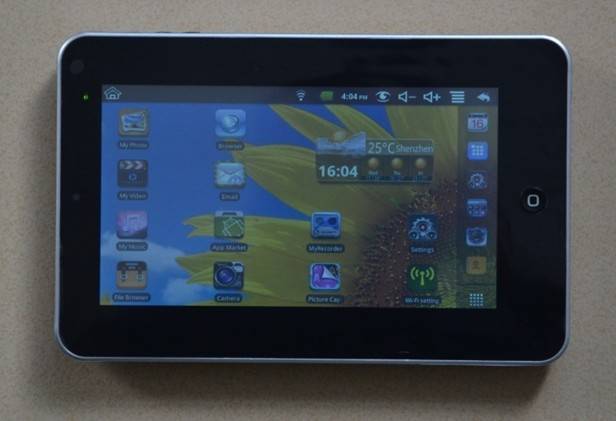
Beware of this and other copycat tablets like it. If you are in the market for a tablet, do your homework first. These tablets do run Android, and the one I tested was quite compatible with most Android apps. However, these tablets do not perform anything like an iPad. It has a “resistive” touch screen that requires a stylus, or fingernail, to operate. Using the tip of your finger just will not work, which makes this tablet hard to use.… >>>Click Here To Continue Reading
Driver Agent: Finding BIOS Upgrades and Drivers Quick and Easy
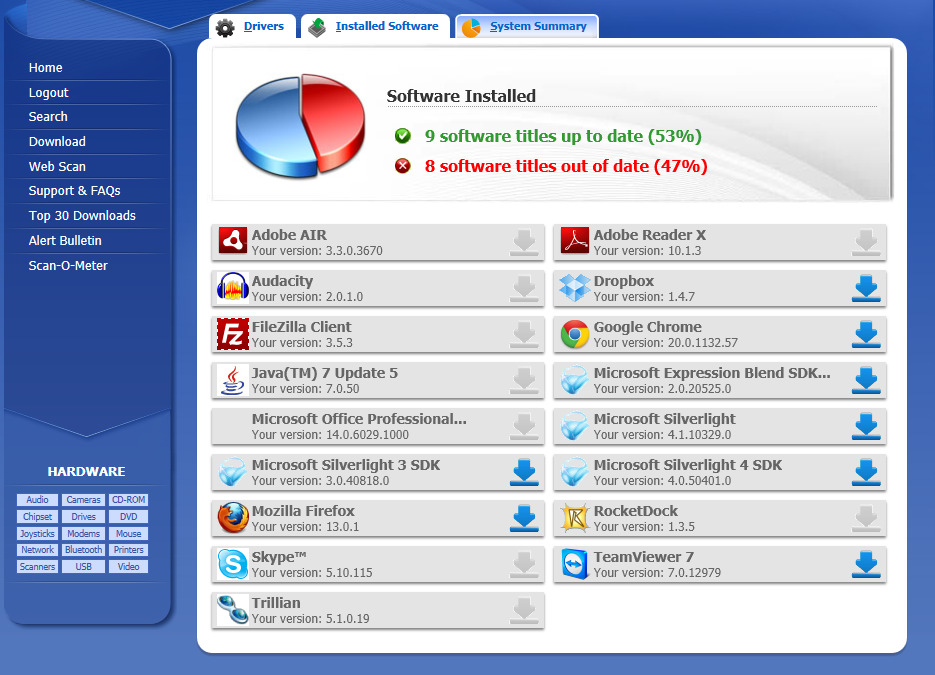
Driver Agent, one of esupport.com’s flagship products, makes it easy for the average user to scan a computer for out-of-date drivers and software. In addition to the Driver Agent software, BIOS Agent helps customers locate the best BIOS stock BIOS image for their computer. For users who are tentative about upgrading their computers to the latest version of drivers and software, Driver Agent shows you out of date drivers with an effective online web scan.
BIOS-Mods.com had the opportunity to review the software to assess whether or not it is truly a viable solution for the average consumer to keep their PC up-to-date.… >>>Click Here To Continue Reading
The INs and OUTs of Windows 8 Consumer Preview
After using Windows 8 Consumer Preview since the release date, there are certain issues that should be addressed. Not only does Windows 8 have a new “Metro” interface that many people are still adapting to, but there are several changes to how software will behave while running Windows 8 CP.
The first and possibly the most important one is Windows 8 does NOT support the Microsoft Visual C++ 2005 Redistributable Package. This means that if your software requires this package, you will have to buy new software that has a later version of the package or one that does not use it at all.
Another issue with Windows 8 is browsing the web with Firefox on a computer with an NVIDIA GPU.… >>>Click Here To Continue Reading